

- Loved by customers across the USA
- Free shipping over $99
- Discreet shipping & secure data handling
USB Bluetooth Adapter
USB Bluetooth Adapter
82 in stock
Couldn't load pickup availability
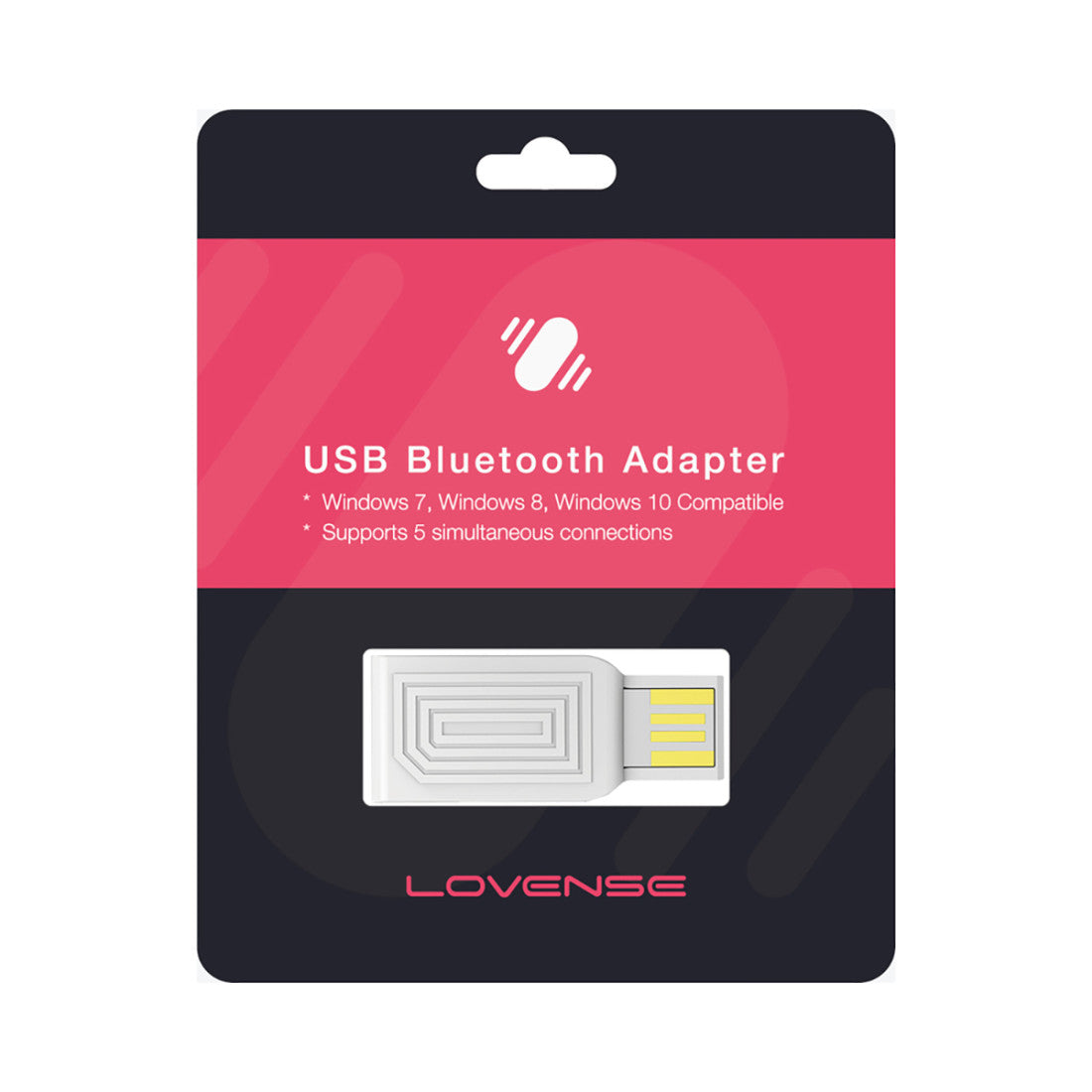
The Lovense USB Bluetooth Adapter bridges your Lovense toy and your Windows PC, giving you a rock-solid connection that your computer's built-in Bluetooth often can't match. Simply plug the compact ABS plastic dongle — just 1.5 inches (38 mm) long and light enough to forget it's there — into any free USB-A port and you're set. No drivers, no manual pairing fuss. The adapter operates on plug-and-play recognition, instantly making itself known to Windows and handing control over to the Lovense Remote App. From there you can run local or long-distance sessions, sync your toy with cam platforms, or hand the reins to a partner halfway across the world, all within a reliable 10-foot (3-meter) Bluetooth range.
Because the adapter is dedicated exclusively to Lovense devices, it avoids the cross-device interference that can plague generic built-in Bluetooth chipsets. Whether you're a cam model who needs zero-lag synchronisation during a live stream, a developer testing Lovense integrations, or simply someone whose laptop Bluetooth drops out at the worst moments, this small dongle solves a genuinely frustrating problem with minimal effort.
USB Bluetooth Adapter features:
- Connects Lovense toys to Windows PCs for uninterrupted play
- Required for using the Lovense Remote App on PC for local and long-distance control
- Ideal for cam performers, app developers, and virtual interactions
- Provides a more stable Bluetooth connection compared to built-in PC options
- Plug-and-play — no drivers needed, installs automatically on Windows
- Compatible only with Lovense toys; not for general Bluetooth devices
- Connection range: up to 10 feet / 3 meters
Specifications / Size & material
- Dimensions: approx. 1.5 in / 38 mm long
- Weight: extremely lightweight (under 1 oz)
- Material: ABS plastic exterior with internal Bluetooth chip
- Connection type: USB-A plug
- Compatibility: Windows 7, Windows 8, Windows 10
- Range: up to 10 feet / 3 meters
- Driver requirement: none — plug-and-play
- Body safety note: This is a tech accessory, not a body-contact device; ABS plastic exterior is durable for its intended electronic use.
Intensity & Experience Level
Level: Beginner | Experience tag: tech/connectivity accessory
This adapter asks almost nothing of the user — plug it in and the software does the rest. It is as forgiving as accessories come, making it a confident first step for anyone new to app-controlled or long-distance toy play who wants a more reliable desktop setup.
Who is this product for?
- Cam models and streamers: those who need lag-free toy syncing with webcam platforms via a Windows PC.
- Long-distance partners: couples who prefer desktop control over mobile for more consistent remote play sessions.
- Tech-savvy users: people who want the stability of a dedicated Bluetooth dongle rather than relying on variable built-in chipsets.
- Users in connectivity-challenged environments: anyone in spotty Wi-Fi or weak Bluetooth areas where mobile app control drops or lags.
- Accessibility-focused users: individuals who prefer keyboard and desktop control for hands-free, remote-managed toy use.
How to use the Lovense USB Bluetooth Adapter?
- Plug it in: Insert the USB adapter into a free USB-A port directly on your Windows PC — avoid USB hubs or extensions for the most stable connection.
- Download the Lovense Remote App: Install the Windows version from the official Lovense website if you haven't already.
- Pair your toy: Follow the in-app instructions to connect your Lovense toy through the adapter — do not use your PC's built-in Bluetooth settings.
- Comfort checkpoint: Confirm the app recognises the adapter and your toy shows as connected before starting a session. If it doesn't, close the app, unplug and re-plug the adapter, then reopen.
- Stay within range: Keep your toy within 10 feet of the adapter for best performance.
- Start exploring: Use the Lovense Remote App to control vibration patterns, hand control to a partner, or sync with video and chat platforms.
- Stop / disconnect: To end the session, close the Lovense Remote App first, then remove the toy from pairing before unplugging the adapter to avoid Windows pairing confusion.
Techniques & ways to play
- Solo desktop play: Sit comfortably at your PC and use the app's pattern editor to design a hands-free experience while you browse, chat, or stream.
- Reclined chair session: Lean back with the laptop or monitor within range and let a pre-set pattern run during a digital conversation.
- Long-distance partnered control: Share app access with a remote partner so they can trigger patterns in real time — agree on a safeword or stop signal before the session begins.
- Dom/sub dynamic: The person at the keyboard holds full control of intensity and patterns; establish clear consent and limits before handing over that control, and ensure a reliable way to signal stop exists at all times.
- Cam performance sync: Link the adapter-connected toy to a compatible webcam platform so viewer interactions or tips trigger vibration responses live.
- Developer / testing use: Use the stable adapter connection to test app integrations or custom scripts without connection drops interrupting your workflow.
Pairs well with / Complete the scene
- Lovense Lush 3: the wearable vibrator most commonly paired with this adapter for hands-free and cam use.
- Lovense Domi 2: a powerful wand that benefits from the stable PC connection for long sessions.
- Lovense Hush 2: butt plug ideal for partnered long-distance control via desktop.
- Lovense Remote App (free download): required software companion — no hardware purchase needed.
- USB-C to USB-A adapter: necessary if your PC has USB-C ports only (sold separately).
- Lovense toy collection: browse the full range of app-compatible vibrators, plugs, and strokers to make full use of this adapter.
How to clean and care
- Cleaning: Wipe gently with a dry or very slightly damp cloth. Do not submerge in water or expose to liquids.
- Lubricant compatibility: Keep all lubricants and body fluids away from the adapter — it is an electronic device, not a body-contact accessory.
- Storage: Store in a protective pouch or small hard case to keep dust and debris out of the USB connector. A dedicated hard case is recommended for travel to prevent connector damage.
- Environmental care: Avoid extremely hot or cold environments to maintain the integrity of the internal Bluetooth chip.
- Port hygiene: Keep the same USB port dedicated to the adapter each time you use it to avoid Windows re-pairing confusion.
Additional information
- System compatibility: Windows 7, 8, and 10 only — Mac OS is not currently supported.
- Single-toy pairing: Use one adapter per toy connection for optimal performance; avoid running multiple adapters simultaneously for the same toy.
- Plug-and-play convenience: No driver installation required — Windows recognises the device automatically on insertion.
- Versatility: Especially valuable for users whose PCs lack reliable built-in Bluetooth, turning any Windows desktop or laptop into a capable control hub.
- Accessibility: Enables hands-free and remotely managed play for users who prefer desktop typing or keyboard shortcuts over touchscreen mobile control.
- Connection improvement: Reduces lag and drop-outs compared to generic built-in Bluetooth, resulting in smoother real-time control for both solo and partnered use.
Special considerations / warnings
- USB-A port required: Your Windows PC must have a USB-A port. USB-C-only devices will need a separate USB-C to USB-A adapter.
- Direct port connection: Always plug directly into the computer — USB hubs and extension cables can degrade connection stability.
- Avoid built-in Bluetooth: Do not attempt to pair your Lovense toy through your PC's built-in Bluetooth settings when using this adapter; use the Lovense Remote App exclusively.
- Radio interference: Keep the adapter away from routers, wireless hubs, and other strong radio-frequency sources to minimise interference.
- Windows only: Mac OS is not supported at this time.
- Lovense-exclusive: This adapter works only with Lovense-branded toys and cannot be used as a general Bluetooth adapter for other devices.
- Troubleshooting: If connection drops, close and reopen the Lovense app before unplugging the adapter.
- Not a medical device: This product is a connectivity accessory only and makes no therapeutic or medical claims.
18+ only. For consensual adult use.
Packaging and billing information
Packaging and billing information
Every order is shipped in discreet, unbranded packaging to protect your privacy from the moment it leaves our warehouse until it arrives at your door.
All packages are sent in plain boxes or mailers with generic shipping labels and no visible logos, product names, or markings that reveal the contents.
Your billing statement and shipping label will display Rumor Lab as the merchant name instead of our store name, providing an additional layer of discretion.
Our secure checkout and data handling practices are also designed to keep your personal information protected throughout the ordering process.
Shipping & delivery
Shipping & delivery
Shipping Information
Everything you need to know about how we process, pack, and ship your order.
Thousands of customers have trusted us with their most personal purchases. Every order is packed with care, shipped discreetly, and backed by a customer support team that's here if you need us.
Ship to a Pickup Location
Prefer not to have your order delivered to your home? You can have your package shipped to one of thousands of pickup locations across the United States.
Simply add your products to your cart and choose a pickup location before proceeding to checkout.
Please note that pickup locations are selected in the cart, not during checkout, and availability depends on your area.
U.S. Shipping
Standard Shipping: $7.94 flat rate
Estimated delivery: 4 to 6 business days after your order has been processed and shipped.
3 Day Expedited Shipping: $18.97 flat rate
Estimated delivery: 1 to 3 business days after your order has been processed and shipped.
2 Day Expedited Shipping: $64.74 flat rate
Estimated delivery: 1 to 2 business days after your order has been processed and shipped.
Free Shipping: Available on orders of $89 or more.
Estimated delivery: 4 to 6 business days after your order has been processed and shipped.
Alaska and Hawaii
Standard Shipping: $9.94 flat rate
Estimated delivery: 4 to 6 business days after your order has been processed and shipped.
3 Day Expedited Shipping: $19.97 flat rate
Estimated delivery: 1 to 3 business days after your order has been processed and shipped.
2 Day Expedited Shipping: $64.74 flat rate
Estimated delivery: 1 to 2 business days after your order has been processed and shipped.
Free Shipping: Available on orders of $89 or more.
Estimated delivery: 4 to 6 business days after your order has been processed and shipped.
Digital Products
Digital products are usually delivered instantly after your purchase. If your download doesn't arrive right away, we'll manually verify your order and resend the files within 1 to 2 business days if needed.
Contact details
Contact details
Our customer support team is here to help with product recommendations, order updates, shipping questions, returns, or anything else you need.
Simply email us at support@thebdsmstore.com, and we'll get back to you as soon as possible.
Share

 USB Bluetooth Adapter
$18.36
USB Bluetooth Adapter
$18.36